
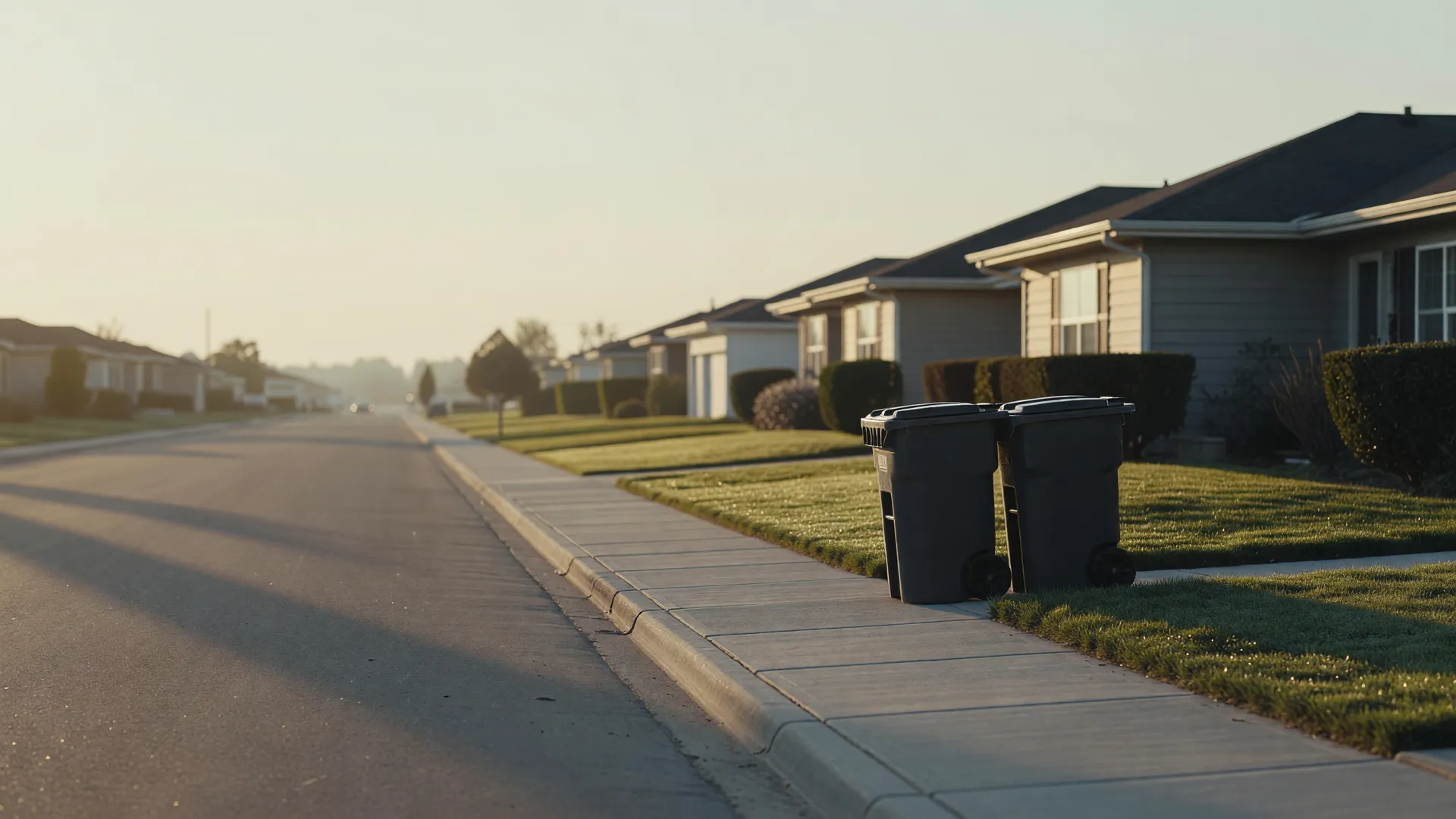


Two trash bins at the curb on a quiet street at sunrise

Websites for cleaning, pest, lawn, pool and trade companies

Home service website design that books the job

We do home service website design for owners who are out on a job when the phone rings. Your customer sees that you come to their street and what it costs, then books and pays without calling you. The job is on your schedule before you're back in the truck.

Before any work starts, the price comes to you in writing, fixed, inside a week.

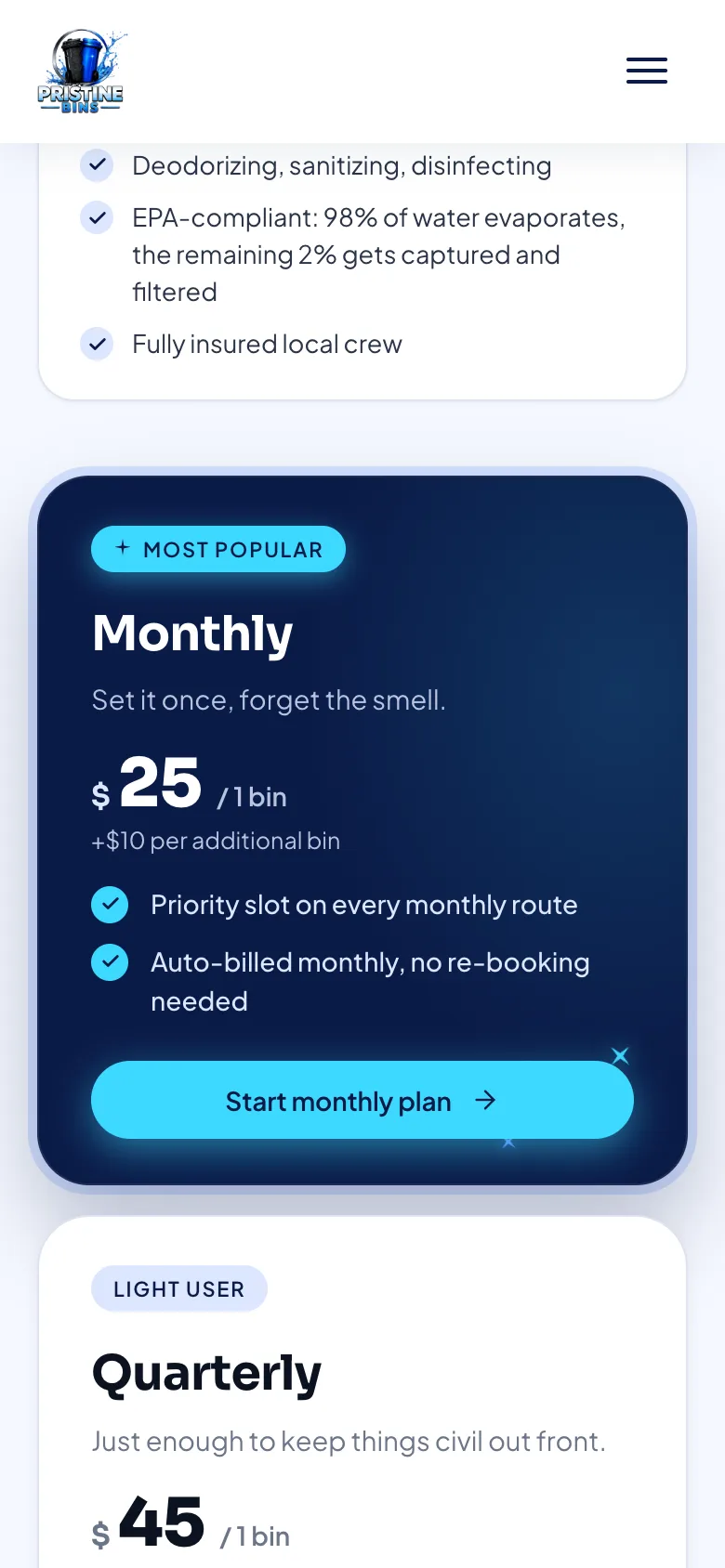
Pristine Bins' plans page on a phone, showing the $25 monthly plan for one bin

Customers see the price before they book

A site we built pristinebinsco.com, the plans shown for ZIP 81403

Repeat work

A customer on a plan is worth more than a job

Bins fill up again. Ants find their way back in. Grass grows, pools cloud over, filters clog. Cleaning, pest, lawn, pool and maintenance work comes back around, so the best thing your site can do with a new customer isn't booking one visit. It's putting them on a schedule.

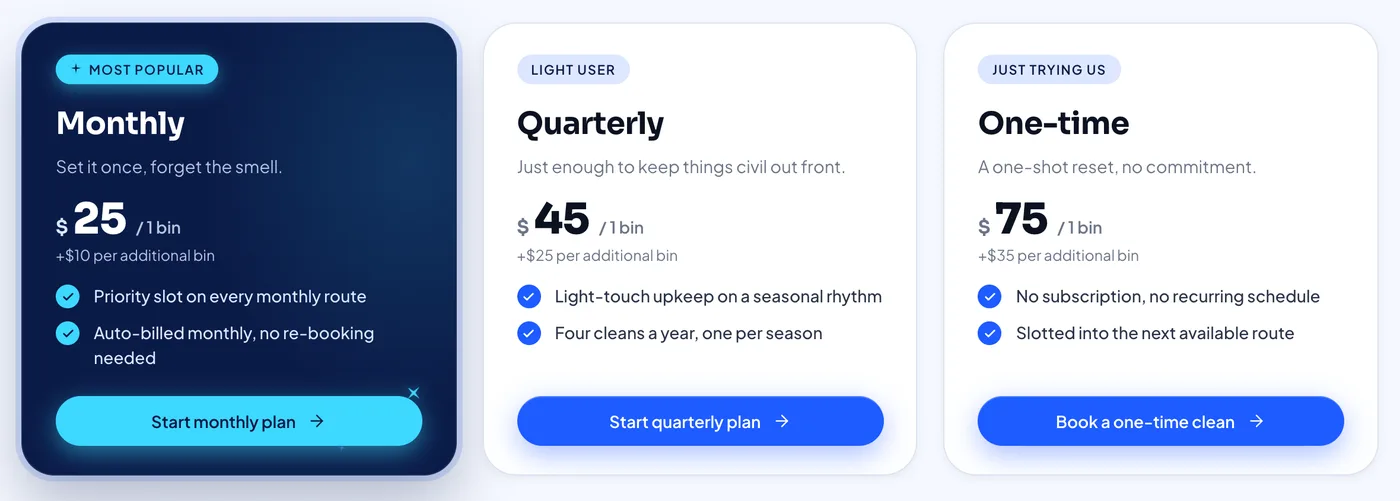
Pristine Bins cleans trash bins at the curb around Montrose, Colorado. Their monthly plan there is $25 a month. One customer signs up once, and that's $300 a year, charged to their card each month, with nobody calling anybody to re-book.

We did their cleaning business website design, so the monthly plan is the first price a customer sees, ahead of the one-time clean.

If your work is mostly repairs and one-off calls, the same site books those visits too. And if you sell a maintenance plan, like a yearly tune-up or a monthly service, customers can sign up for it on the site the same way.

A site that takes a booking gets you a job. A site that sells the plan gets you a customer.

$300 a year from one sign-up
Monthly plan
$25 a month, billed automatically, nothing to re-book
One-time clean
$75, once
Pristine Bins' prices for one bin in Montrose, ZIP 81403

How a booking happens

From ZIP code to paid booking, with nobody on the phone

These are the real screens a new customer goes through on the Pristine Bins site, which we designed and built for a bin-cleaning company. Each screen asks for one decision. Every price sits above the button that charges it. And the last step happens without anyone at Pristine lifting a finger.

  1. They type their ZIP code

    A new customer's first question is whether you work where they live. Here that's one box and one button, and the answer comes straight back.

    Pristine Bins' ZIP code box with 81403 typed in and a Check button
    pristinebinsco.com, the ZIP check with 81403 typed in
  2. They learn whether you serve their street

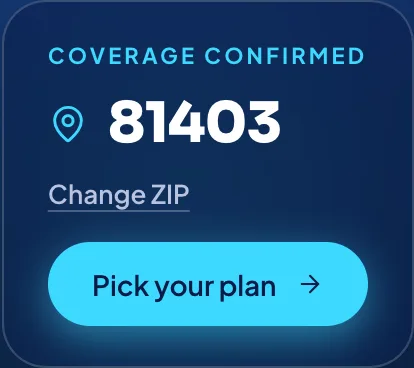
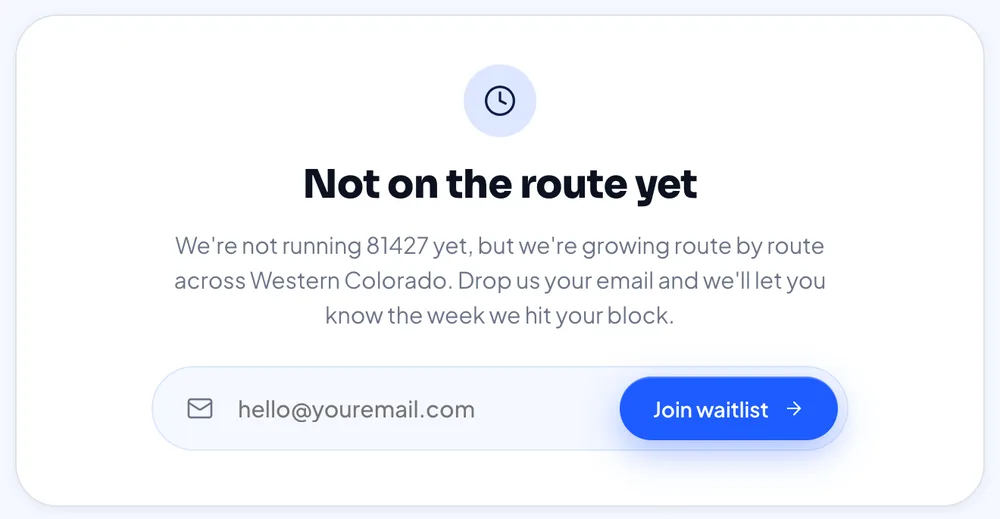
    Inside the area, like 81403 in Montrose, they get a plain yes and one button: pick your plan. Outside it, like 81427 in Ouray, there's no dead end. They leave an email and hear from Pristine the week the route reaches their block.

    Pristine Bins confirming coverage for ZIP 81403, with a Change ZIP link and a Pick your plan button

    On a route 81403, Montrose

    Pristine Bins telling ZIP 81427 it isn't on the route yet, with an email box to join the waitlist

    Not yet 81427, Ouray, gets the waitlist

  3. They pick a plan and pay

    Only the plans sold in their town show up, and each card reads in the same order: what it is, what it costs, then the button. They choose one and pay by card on the next screen, for a plan or a single clean.

    Pristine Bins' three plan cards for ZIP 81403: monthly $25, quarterly $45, one-time $75
    Swipe for all three plans. The plans sold in 81403: monthly $25, quarterly $45, one-time $75, for one bin. Checkout by card is the next screen, so we stopped here.
  4. The job shows up in Jobber

    When the card goes through, the site adds the customer, their property and the job to Jobber, the scheduling software Pristine runs on. Nobody copies it over from an email. It's on the schedule the next time anyone looks.

    New job in Jobber Paid by card
    • Client The customer who just paid
    • Property The address where the bins get cleaned
    • Plan Monthly, $25 for one bin

    Entered by the website, on its own

    Our drawing of what reaches Jobber, not a screenshot of Jobber

Phone calls along the way

None.

That's the first way a site earns its keep: more of the people who visit end up booked and paid. The second is more of the right people finding it, and your site gets both on launch day.

The proof

A cleaning business site we built: Pristine Bins

The screens above all come from one working site. Pristine Bins washes trash bins at the curb in towns across Colorado's Western Slope, and we designed and built the site they sell from. It's live, and you can check it from the truck today.

It's the home services website design we put in front of owners first, because there's nothing staged about it: every town, plan and price below is on pristinebinsco.com right now.

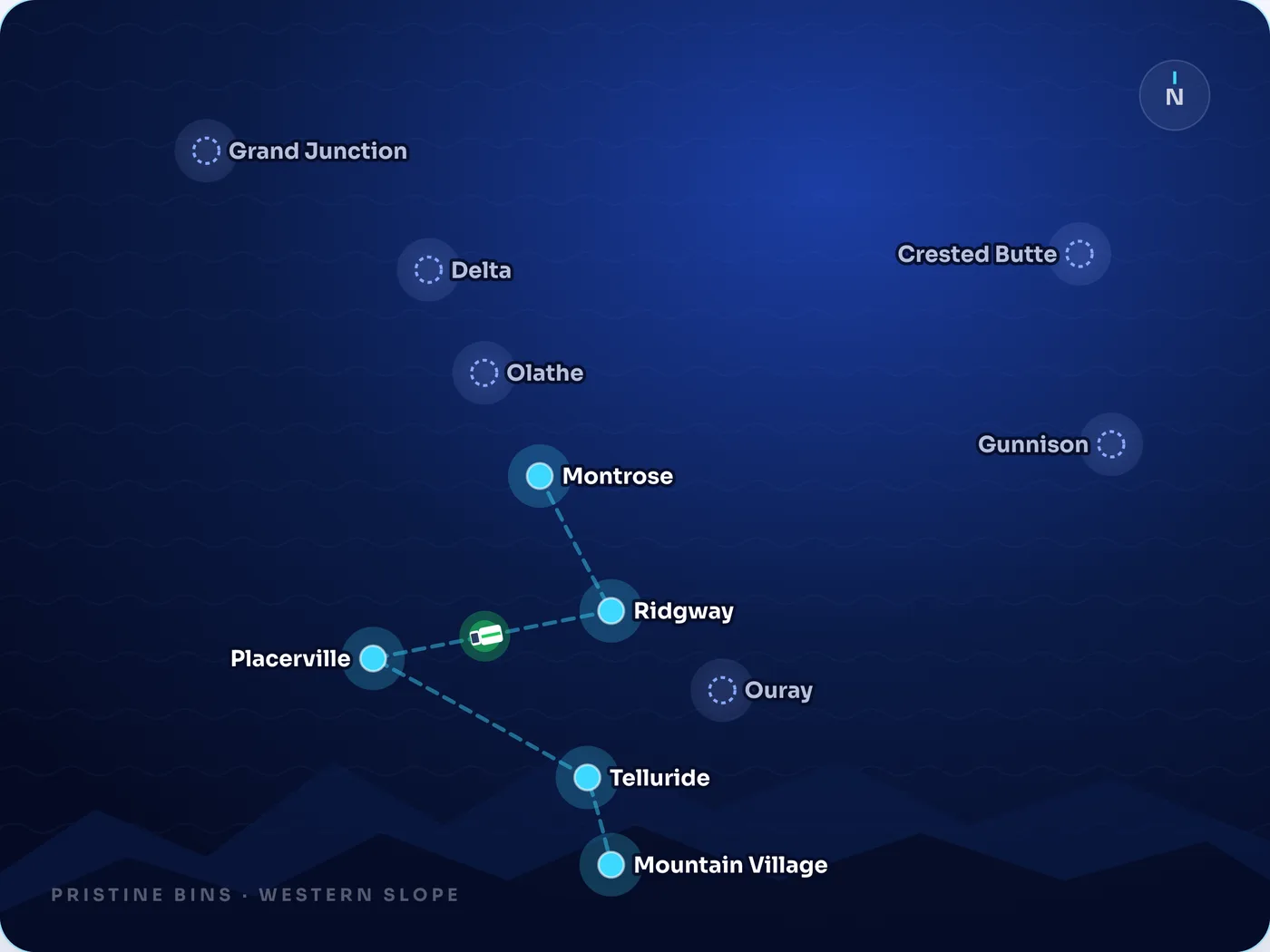
Pristine Bins' service-area map: five towns joined by a route line, six more marked as launching soon
Swipe for the whole map. pristinebinsco.com, the service-area map: solid dots run today, dotted ones are next

Where they work

11 towns on one map
Five have a running route. The other six are marked launching soon, and people there can join a waitlist from the same page.
Prices that follow the ZIP
Plans and prices change by town. The ZIP code a customer types decides which set they get.
A premium plan where it sells
Telluride and Mountain Village get a garage-to-garage tier, where the crew brings the bins out of the garage and puts them back, plus a bi-weekly plan. Customers in other towns never see either.
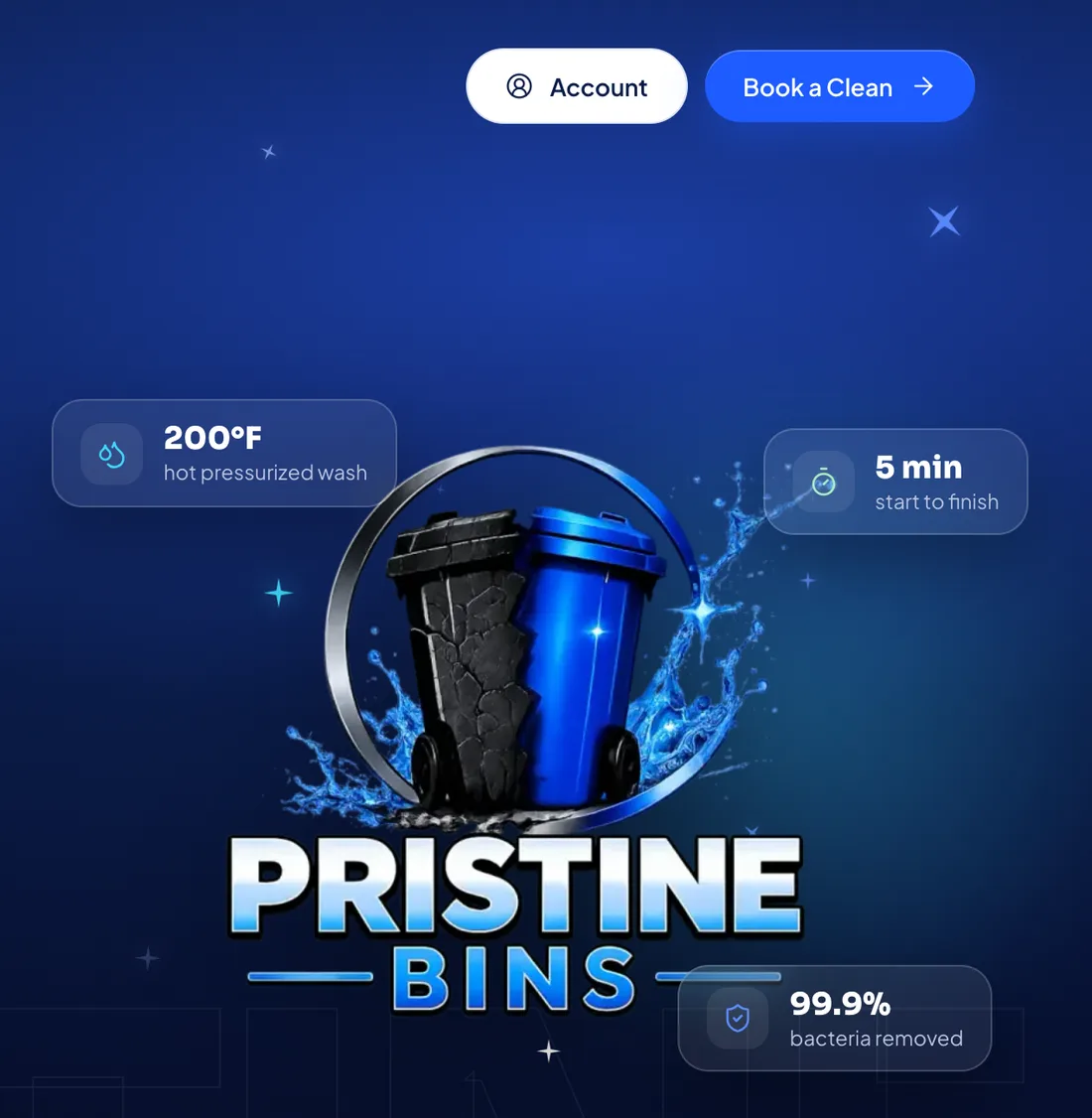
Top of Pristine Bins' homepage: Account and Book a Clean buttons above the bin logo on deep blue
pristinebinsco.com, the top of the homepage

How customers buy

Sign up and pay online
Customers pay by card on the site, either for one clean or for a plan that bills them automatically.
An account for every customer
Customers log in to manage their own plan. The owners have an admin screen behind it.

While you're on a job

The calls your site can take for you

Your phone buzzes while your hands are full, and the person on the other end wants something small: do you come out here, what does it cost, where's my invoice. Each of those has an answer that can sit on your site, there at 9 at night and 6 in the morning, when you'd never pick up.

So when we do web design for home services, each of those questions gets its answer on the site, in the spot a customer looks first. Here is where Pristine Bins' site answers six of them.

Before they're a customer

On the public pages, before anyone signs up

Do you come out to us?
The ZIP box Five digits and one button tell them whether the route reaches their street, with a waitlist if it doesn't yet.
How much is it?
The plans page The plans and prices for their own ZIP, monthly, quarterly and one-time, set out before anyone has to ask.
What do I do on service day?
How it works A short page walks through the visit: bins out at the curb, empty, and nobody has to be home.

Once they're on a plan

In their own account, where cancelling takes no call either

Can I switch to quarterly?
Their account They log in and change the plan themselves, without waiting on anyone.
My card expired. Can I give you the new one?
Their account They put the new card in on the site, so no card numbers get read out over the phone.
Where's my invoice from last month?
Their account Their invoices are listed there, ready whenever they go looking for one.

Keep your phone for the calls only you can answer.

How the project runs

From the first call to a site taking bookings

You have routes to run and crews to keep busy, so the project is built to need very little of your day. We ask the questions once, then do the writing, the design and the build while you work.

It also covers the other half of what a site earns: being found. The way it's built and the pages it gets are what put you in front of the customers already looking up the work you do. Our page on South Jordan web design shows what that looks like for one city's homeowners, room by room.

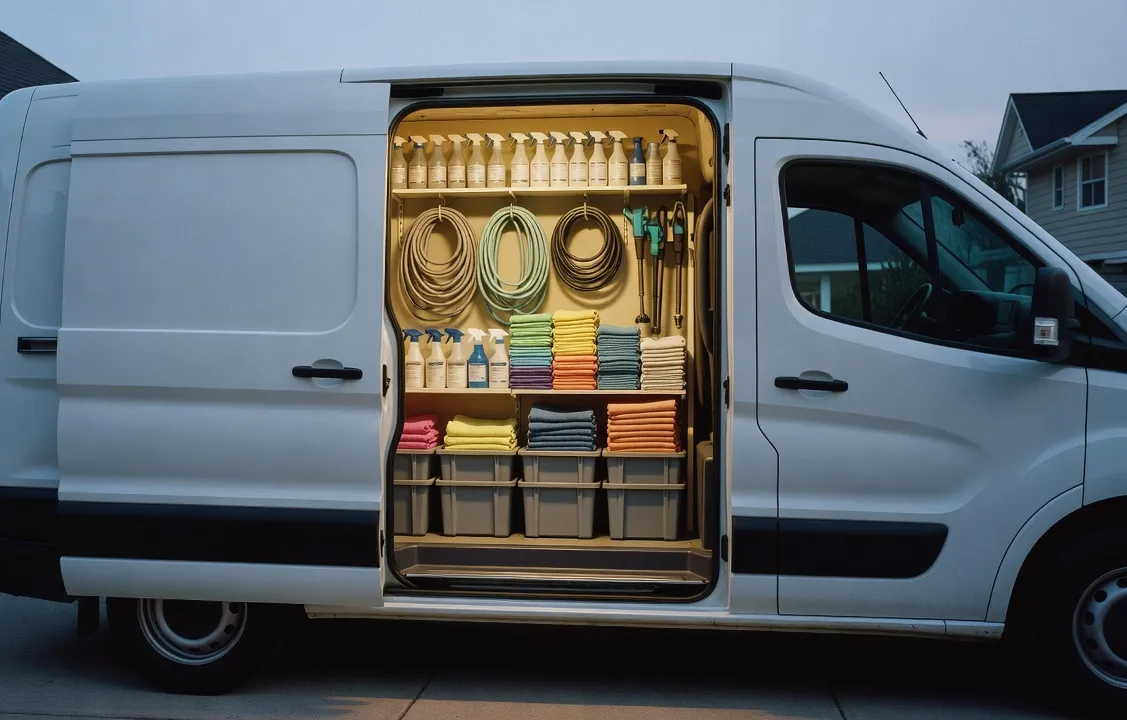
A white van's open side door showing tidy shelves of hoses, spray bottles and cloths at dawn

Home service website design, step by step, call to launch

Before any work starts

  1. A 30-minute call

    You tell us what you sell, which towns you cover, how customers book you now and which jobs you'd like more of. It's a video call, so the cab of the truck works fine.

    Your part Half an hour of talking

  2. A fixed price, in writing

    Inside a week of the call, the full scope lands in your inbox with one fixed price attached. No hourly meter ticks in the background.

    Your part Read it and decide

While you're out working

  1. We write the pages

    We write every word ourselves, straight from that first conversation: your services, your towns, your plans and prices. Nobody hands you a blank page to fill in.

    Your part No writing

  2. You see it on a preview link

    The design goes up on a link of its own before anything is public. Open it on your phone between stops and tell us what to change.

    Your part Look it over, send notes

  3. Fast pages, nothing to patch

    We build the site in Astro, a newer way to put a website together that turns out small, fast pages. There's no pile of WordPress plugins waiting on updates, nothing that quietly breaks when nobody has logged in for a season, and a page that opens quickly on a customer's phone while they stand in the driveway.

    Your part No updates to run

  4. Its own page for every service and town

    If you mow, aerate and treat weeds across a handful of towns, each of those services and each of those towns gets a page of its own. Each one loads fast on a phone, with its title and headings set up the way Google asks site owners to. So a stranger nearby who needs that exact job has a page of yours to find.

    Your part Tell us the list on the call

Launch, and after

  1. Live in about 60 days

    Expect roughly 60 days between kickoff and the site going live. On launch day the site is ready to take bookings, and every page is built to be found from the start.

    Your part Keep working

  2. Then you change it yourself

    Raise a price, add a service, start covering a new town: you make the change on your own site, without filing a request or waiting on us.

    Your part Only when you want to

Your part, all told: one call, one decision and a few looks at a link.

The price

What a home service website costs

Home service web design is priced the way we price every site: most land between $5,000 and $40,000. You pay it once. Your number depends on how much of the work the site takes off your hands.

Most sites from $5,000

to $40,000

What sets the price of home service website design

Services and towns
Each thing you sell gets a page, and so does each town on your route. A pool route in two towns needs fewer pages than a lawn company selling six services across ten.
Booking and payment
Customers booking and paying by card on the site, for a single visit, a plan, or both.
Your scheduling software
A link that puts each paid booking on your schedule, the way Pristine's site does with Jobber.
Customer accounts
A login where people on a plan look after their own plan, card and invoices.

Paid once, next to paid every year

$300 a year

That's one customer on Pristine Bins' $25 monthly plan in Montrose. The next year the same customer pays it again, and the year after that, for as long as they stay on the plan.

The site is a cost you pay once, and it keeps working for years. Every plan it sells keeps paying, year on year.

Fixed, in writing
A week or less after the call, you have the price on paper. It covers everything the scope lists, and nobody bills you by the hour.
Yours to keep
Renting a site by the month adds up, and you never own it. With us, your domain, your site's code and every hosting login are registered in your name, so a new host or developer can take it over whenever you choose.
After launch, your call
We can keep the hosting and updates running for you, or give you the keys to all of it and step back.

Everything that comes with a site we build is on our web design page.

Who you'd work with

Your site gets a designer and a project lead

Bullfinch is run by two people, Kyle and Katie Rutten. You haven't met them yet, so here is plainly which of them handles which part of your site, from the first call to the day it goes live.

Kyle Rutten at a laptop in a brick-walled workspace

Your designer

Kyle Rutten

Kyle takes the 30-minute call himself, and the design and the build of your site are his work too. What you tell him about your routes, your plans and your customers goes straight into the pages, with nobody in the middle to pass it along.

Ask Kyle about The design, the pages, and how booking will work on your site

Katie Rutten at a laptop in a brick-walled workspace

Your project lead

Katie Rutten

Katie runs operations, which means every project and every schedule. She keeps yours on track from the written price to launch day, so you can stay on the job instead of managing a website project from the cab of your truck.

Ask Katie about Where your project stands and what comes next

No account team, no hand-off to strangers. The faces above are the people you'll actually be dealing with.

The longer version on our About page

Before you book

Questions home service owners ask before booking

Six fair questions, answered straight. Anything we haven't covered here, bring it to the 30-minute call.

  1. Cost

    Why pay $5,000 or more for home service website design when a template or a monthly subscription costs next to nothing to start?

    Because a cheap start doesn't book anything on its own. A template puts your name and number online and leaves the selling to your phone. The site we build does the selling: it tells a customer you serve their area, shows the price, takes the card and can sign them up for a recurring plan. You pay for that once, at a fixed price you see in writing before we start. A subscription bills you every month the site stays up, and the site is still theirs at the end of it.

  2. Bookings

    Will the site bring in jobs, or is it just a nicer brochure?

    It's built to take bookings. Every page points a customer toward one outcome: checking that you come to them, seeing the price and booking without picking up the phone. It also has to be found, so from launch day its pages follow Google's published guidance, with one for each service and one for each town. We won't put a number on the jobs it brings in. What we can show you is a live site doing it: Pristine Bins, further up this page.

  3. Scheduling

    Will it work with the way I book and schedule now?

    It's built around it. How you book today comes up early on the call. At Pristine Bins the scheduling software is Jobber, and every paid booking lands there as a new job with nobody typing it in. If you run something else, the site can send customers to the online booking your scheduling software already has, or pass each booking along as a request that lands in your inbox. Your schedule stays where it is.

  4. Your time

    I'm in the field all day. Do I have time for a website project?

    You do, because very little of it is yours, and none of it is writing. There's the 30-minute call, a written price to read and say yes or no to, and a design to check on a private preview link before the public sees it. Every page gets written by us, from your answers on that call. The rest happens while you're out on jobs.

  5. Ownership

    Will the finished site be mine, and can I edit my prices and towns myself?

    Yes, and yes. The site is in your name, down to the domain and the hosting, so you can move it to any host or developer. We also set up a simple admin for the site that you log into. When the route grows or a price goes up, you sign in and change the price, the service or the town yourself. It takes no code, and you don't have to ask us.

  6. Your trade

    You've never worked in my trade. Will the site sound like you know it?

    It will, because it's written from what you know. On the call we ask what you sell, how a visit runs, which towns you cover and what customers want to know before they book, and the pages come from your answers rather than a stock layout for your trade. Pristine Bins, the bin-cleaning site on this page, was built the same way. If your work is heating and cooling or lawn care, there's more on our pages about HVAC websites and landscaping websites.

Start with one call

Book 30 minutes about the work you want on the calendar

Pick a half hour that fits between jobs. There are no slides to sit through. We ask about four things, and they're the four your site gets built around.

What we'll ask about

  1. Your services

    What you sell, from one-off visits to plans, and what each one costs today.

  2. Your towns

    Where your crews go now, and the towns you'd add a stop in if the work were there.

  3. How you book now

    Phone calls, texts, a form, or the online booking your scheduling software already has. We plan the site around whatever you use today.

  4. The work you want more of

    More customers on a monthly plan, bigger jobs, a service you'd like to grow. Whatever you name is what the site sells first.

No more than a week later

One fixed price, in writing, for the whole site.

We don't start a thing until you've read it and said yes. Launch comes about 60 days after kickoff, so a call this week puts the number in your hands next week and lets those 60 days begin whenever you're ready.

Home service website design: the intro call

30 minutesGoogle MeetWith Kyle

Loading availability